 Eldaria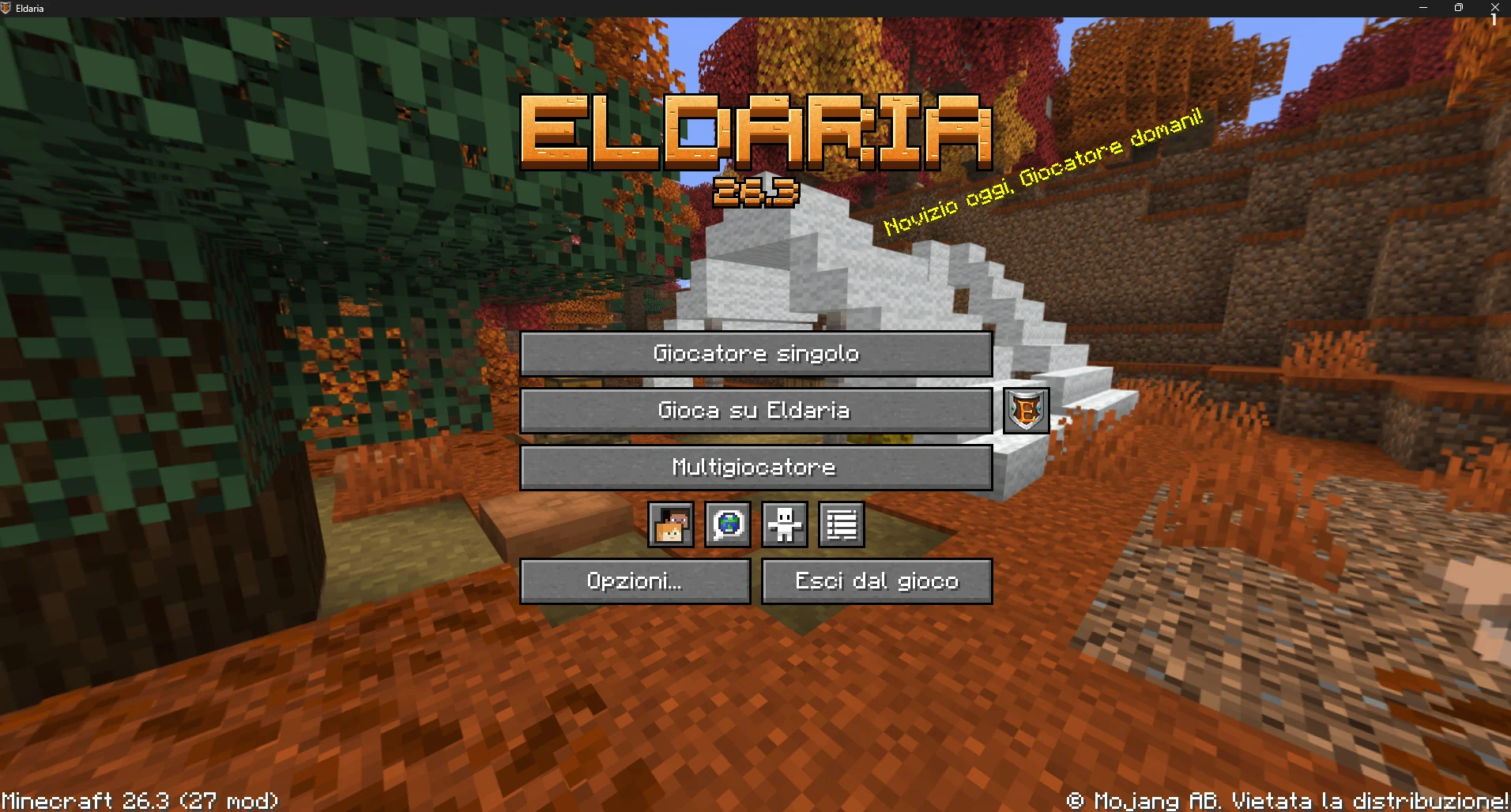
Starting today, the mods permitted on Eldaria are bundled into an official package: install it once, and everything is set up and ready to go. You can choose between two versions:
Official: Includes only the mods—the most lightweight option. You can add your own texture packs and shaders if you wish.
Official Complete: Includes the same mods, plus the permitted texture packs and shaders, pre-configured but disabled by default. You can enable them whenever you like: press 'K' to launch Complementary Unbound with Euphoria Patches, using settings we’ve curated for the most immersive gameplay experience possible.
What’s inside
A custom Eldaria-themed menu: use "Play on Eldaria" to connect directly to the server, or click the shield icon to open the website.
A custom loading screen and game window, featuring the Eldaria name and emblem.
A ready-to-play instance: the game is set to Italian, Eldaria is already in your server list, and mod keybinds are configured to avoid conflicts (C for zoom, I for shader selection, K to toggle shaders on/off).
Your personal changes are preserved: our pre-configured settings are only applied during the initial installation, so future package updates won’t overwrite them.
Individual mods can be disabled via the launcher (excluding core libraries required by other mods).
How to install
Log in to the website and visit the Mods page (eldaria.it/mod). Download your preferred version and import it into the Modrinth App (click '+' › "From file") or Prism Launcher.
If you are using the Modrinth App, please open the instance settings before launching it for the first time and disable the synchronization of game settings and server lists. Otherwise, settings from your other instances may be imported, which could cause Eldaria to appear twice in your server list.
If you wish to switch between the "Official" and "Official Complete" versions later on, please perform a fresh installation. Remember: on Eldaria, you can play using standard Minecraft or with the mods included in the modpack. If there’s a mod you’d like to use that isn’t on the list, please open a ticket for the staff.
Happy gaming!